


Out Of Stock
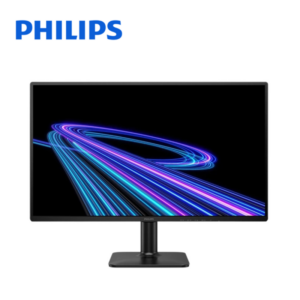
MSI Pro MP225 21.5
RM289.00
Out of stock
MSI Pro MP225 21.5" FHD 100Hz Flat Monitor (HDMI, VGA, 3Yrs Warranty)
- 21.5" FHD 1920 x 1080 Flat @IPS
- Refresh Rate: 100hz
- Response Time: 1ms (MPRT) / 4ms (GTG)
- 1x HDMI (1.4b), 1x D-Sub (VGA), 1x Headphone-out
- 3 Years Warranty by MSI Malaysia
FAQ
Frequently Asked Questions about the MSI Pro MP225 21.5
What are the features of the MSI Pro MP225 21.5?
MSI Pro MP225 21.5″ FHD 100Hz Flat Monitor (HDMI, VGA, 3Yrs Warranty)
- 21.5″ FHD 1920 x 1080 Flat @IPS
- Refresh Rate: 100hz
- Response Time: 1ms (MPRT) / 4ms (GTG)
- 1x HDMI (1.4b), 1x D-Sub (VGA), 1x Headphone-out
- 3 Years Warranty by MSI Malaysia
How much does the MSI Pro MP225 21.5 cost?
The current price for the MSI Pro MP225 21.5 is RM289.00.
How much is the shipping fee for the MSI Pro MP225 21.5?
Shipping fees depend on your location and order size. Standard shipping within Peninsular Malaysia starts from RM20.
How long does delivery take for the MSI Pro MP225 21.5?
For ready-stock items, delivery within Peninsular Malaysia typically takes 2-4 working days. Deliveries to East Malaysia generally take 5-10 working days. Feel free to browse our full shop catalog for more ready-stock hardware.
Can I collect my order in person?
Please contact us to arrange for self-collection if available. WhatsApp 011-5682 2590 for details.
What payment methods do you accept for the MSI Pro MP225 21.5?
We accept all major credit cards, FPX online banking (Maybank, CIMB, Public Bank, RHB, etc.), and direct corporate invoicing for B2B clients.
Does the MSI Pro MP225 21.5 come with a warranty?
Yes, all IT hardware and electronics sold by TiraTech come with an official manufacturer warranty. Please keep your invoice as proof of purchase for any future warranty claims.
Can I extend the warranty?
Extended warranty options may be available for certain products. Contact us for details.
Is the MSI Pro MP225 21.5 100% original and brand new?
Yes, absolutely. All items sold at TiraTech, including the MSI Pro MP225 21.5, are 100% genuine, brand new, and sourced strictly from official local distributors. An official invoice will also be provided with your purchase.
Can you provide customized solutions for our company?
Yes, we can tailor IT solutions based on your business needs. WhatsApp us or visit our Corporate Sales page.
Can I request a quotation for bulk orders of the MSI Pro MP225 21.5?
Absolutely. We specialize in B2B IT procurement. If you need a larger quantity or an official quotation, please visit our Corporate Sales page or WhatsApp us directly.
How can I contact TiraTech for this product MSI Pro MP225 21.5?
You can reach our team via:
- WhatsApp: 011-5682 2590
- Email: contact@tiratech.com.my
- Website: Contact Us page
Warranty
Manufacturer's Warranty
Steps to Claim MSI Warranty
1. Check Your Warranty Coverage
Before initiating a claim, verify your product's warranty status. Locate your product's Serial Number and enter it into the official MSI Warranty Check portal.
2. Prepare Your Information
To ensure a smooth process, have the following ready:
- Your device's Serial Number.
- Proof of Purchase: A valid purchase invoice. If a valid purchase invoice or proof of purchase cannot be provided, the warranty will be calculated from the manufacturing date based on the product's serial number.
- A clear description of the issue.
3. Register Your Product (Recommended)
Registering your product via the MSI Member Center and uploading your purchase invoice helps streamline any future service requests. If you have an MSI laptop, desktop, monitor, or All-in-One PC that is still within its commercial warranty period, registering and filling in a short questionnaire qualifies you for a free 3-month extended warranty.
4. Contact MSI Support Malaysia
Reach out to MSI's technical support to determine the exact next steps for your specific product:
- MSI General Service Hotline: Call 03-5525-3455 (specifically for MSI Notebook & AIO PC Service Centre). You may also contact the main office at +603-8993 9711 or +603-9548 0223.
- Online Live Chat: Access instant, one-on-one support from an MSI expert via the online live chat feature on their website.
- Web Ticket: Submit a question directly to the support team through the online portal.
5. Service Methods
Service procedures depend on the type of MSI product you own and your living region:
- Laptops, Desktops, and Systems: You can utilize the online RMA procedure to find the closest MSI Service Location or apply for repair by submitting the online form.
- PC Components: For component units such as motherboards, graphic cards, and power supplies, MSI entrusts local authorized dealers or stores to deliver warranty service to end users. You will need to contact your original purchased store for warranty service.
Important Warranty Information
- Policy Changes: MSI reserves the right to interpret, modify, update, or cancel any part of the warranty policy without prior notice.
Disclaimer: The warranty information provided above is for reference purposes only. Warranty terms vary by region. Always refer to MSI’s official website or speak to an authorized agent for the most accurate and up-to-date information.






 No products in the cart.
Reviews
There are no reviews yet.